Works with Claude Code, Codex and OpenCode
Edit video with your coding agent
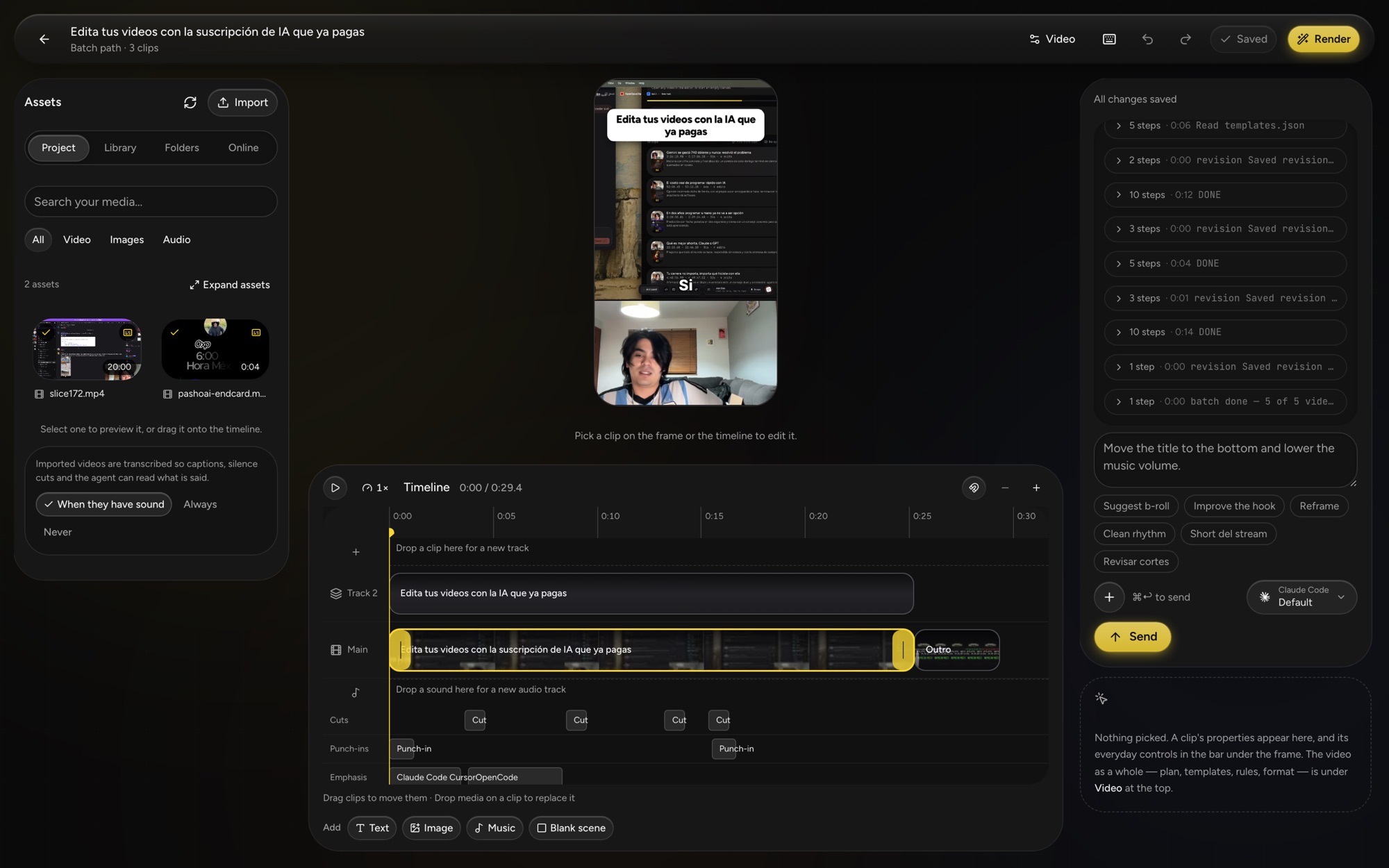
agentcut is a video editor that runs on your computer. Your agent makes the cuts, captions and titles; you open the studio to review and change anything. Both of you work on the same project.
- 1 Install
npm i -g agentcut - 2 Open the studio
agentcut
Needs Node.js 22.13 or later and an agent CLI you are signed in to.
How it works
A small command. The rest arrives when you need it.
The npm package is only the command. Everything heavy downloads the first time it is used, then runs offline on your machine.
- 01
Install the CLI
npm i -g agentcutputs one command on your path. - 02
Open the studio
Running
agentcutopens the visual editor in your browser. The studio, the renderer and ffmpeg download on first use. - 03
Connect your agent
Register agentcut as an MCP server once. Your agent gets the editor's tools and edits the project you have open.
One editor, two interfaces
You and your agent edit the same project
The studio and the agent's tools are two ways into one editor. Both call the same operations, are checked by the same validation and save to the same project, so neither can do something the other cannot.
You, in the studio
- A timeline with overlapping video layers, titles, images and music.
- Trim, reorder and restyle captions by hand, with undo.
- Ask for a change in the conversation panel and watch it land.
Your agent, over MCP or the CLI
- Reads the transcript and the timeline, then edits with the same operations.
- Finds clips in a long recording and cuts them to your templates.
- Works with the studio closed. Open it later and every change is there.
Your projects stay on your computer
Media, projects and exports are stored locally, and editing and rendering need no agentcut account. Your agent sends prompts, transcripts and sampled frames to its own AI provider.
Agents
Uses the agent you already have
agentcut drives the coding agent installed on your machine, signed in with your own account. It does not need an API key of its own.
Claude Code
Register once
claude mcp add agentcut -- agentcut mcpCodex
Register once
codex mcp add agentcut -- agentcut mcpOpenCode
MCP server command in its config
agentcut mcp
Packs
Install somebody's way of editing
A pack carries templates, rules, a style guide and assets that belong together. Install one and your agent edits to it: what to cut, how the captions read, what a finished video has to be.
Start with one command
Install it, run it, and describe the video you want to your agent.
npm i -g agentcut